


If you need to offer store pickup and local delivery from your retail stores, Store Pickup + Delivery by Zapiet is the app for you to use with Exportify.
Exportify directly from the Store Pickup + Delivery Dashboard
Did you know you can now export orders using Exportify directly from the Store Pickup + Delivery Dashboard?
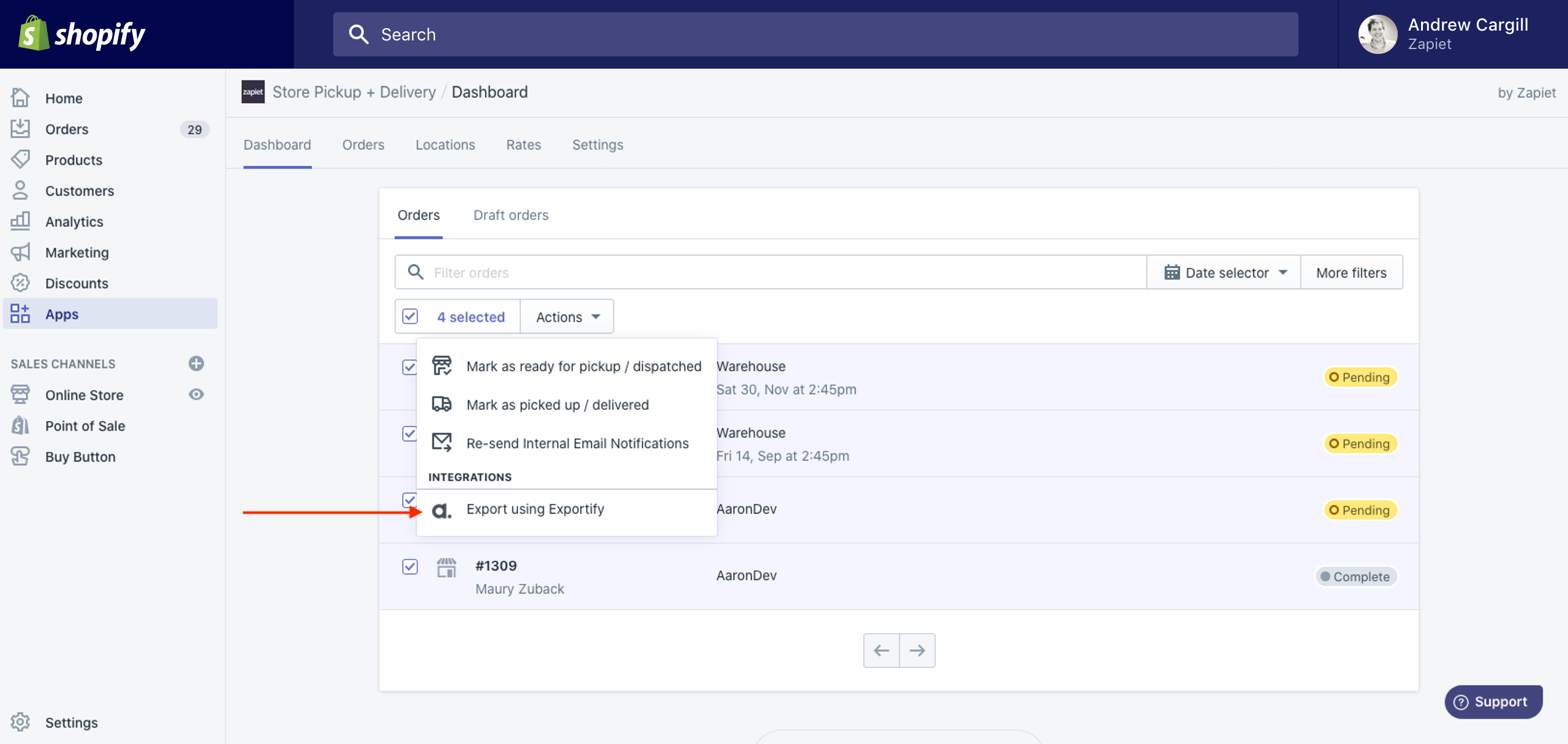
If you do not see the Exportify button
If you have Exportify installed and don't see the purple Exportify button on your Dashboard, follow the instructions below.
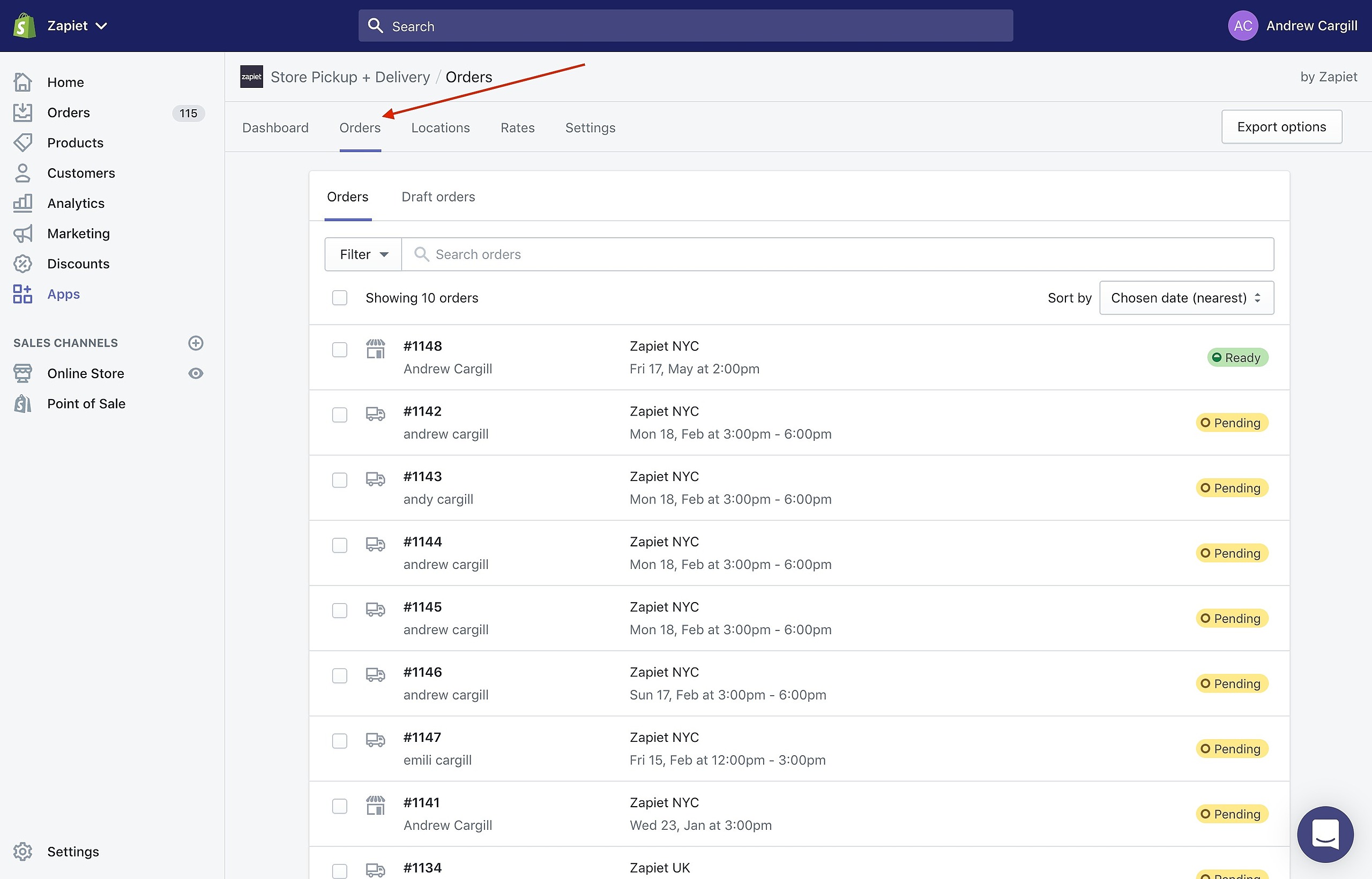
Click Orders from the main menu
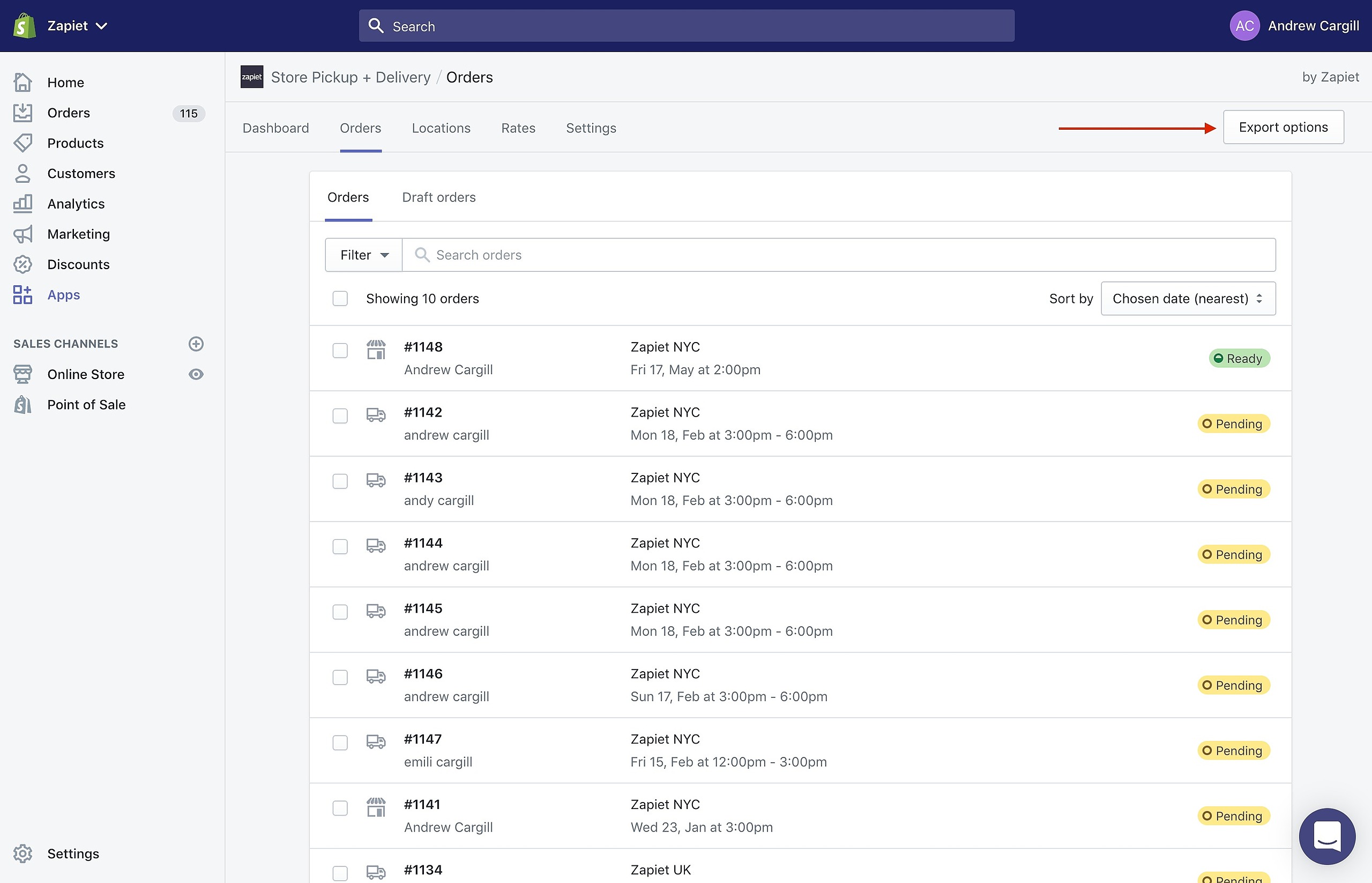
Next, click Export orders
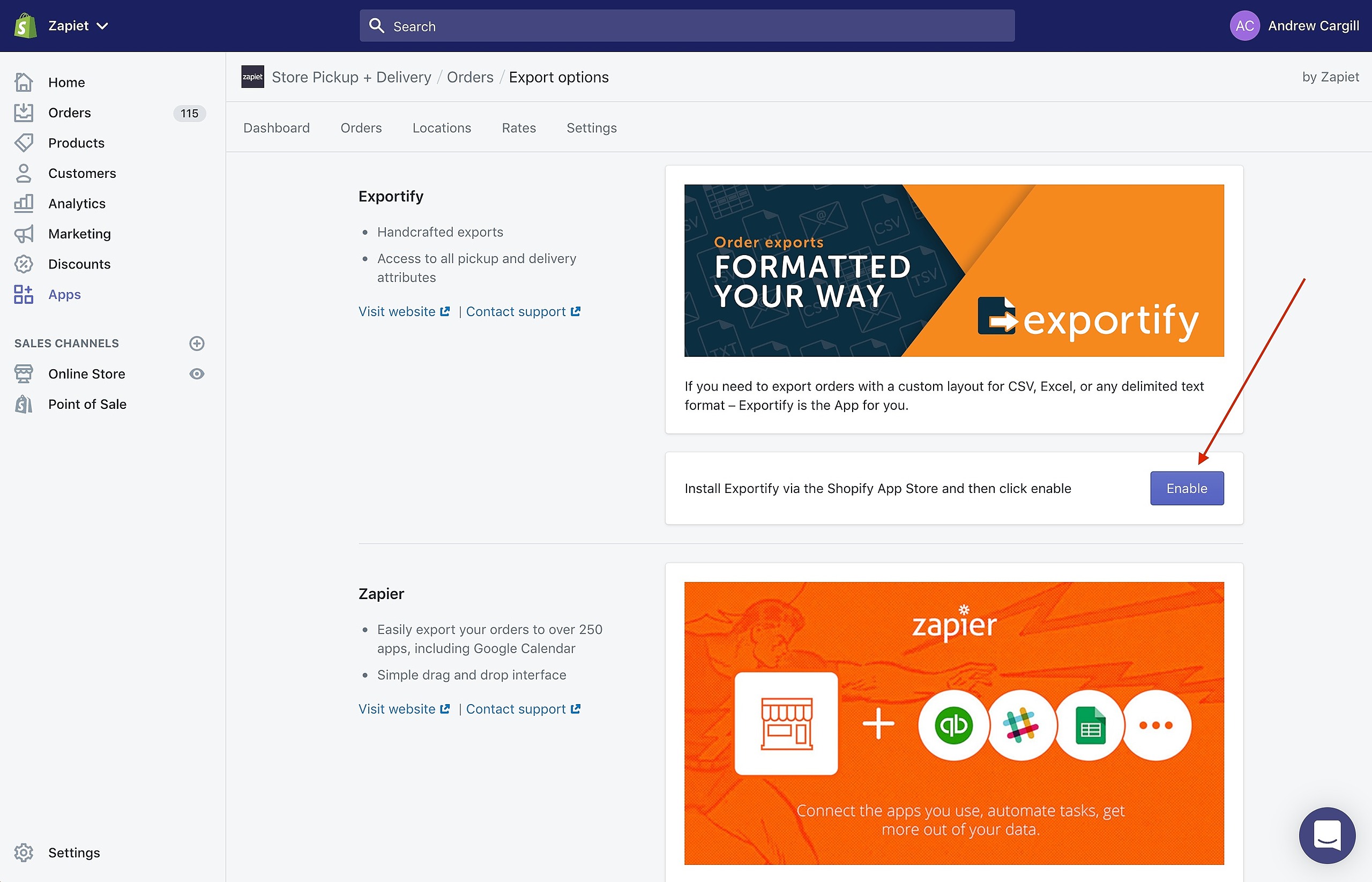
Finally click the Enable button next to Exportify
One last thing
The last step is to email support@exportifyapp.com and request that they add the Store Pickup + Delivery config to your Exportify account. Once we have done that, you can return to the Store Pickup + Delivery Dashboard and export your orders.
Get Exportify from the Shopify App Store
Every Shopify merchant gets a free custom export file setup during your 15-day free trial. Add Exportify to your shop from the Shopify App Store.