

Export yesterday's or today's orders
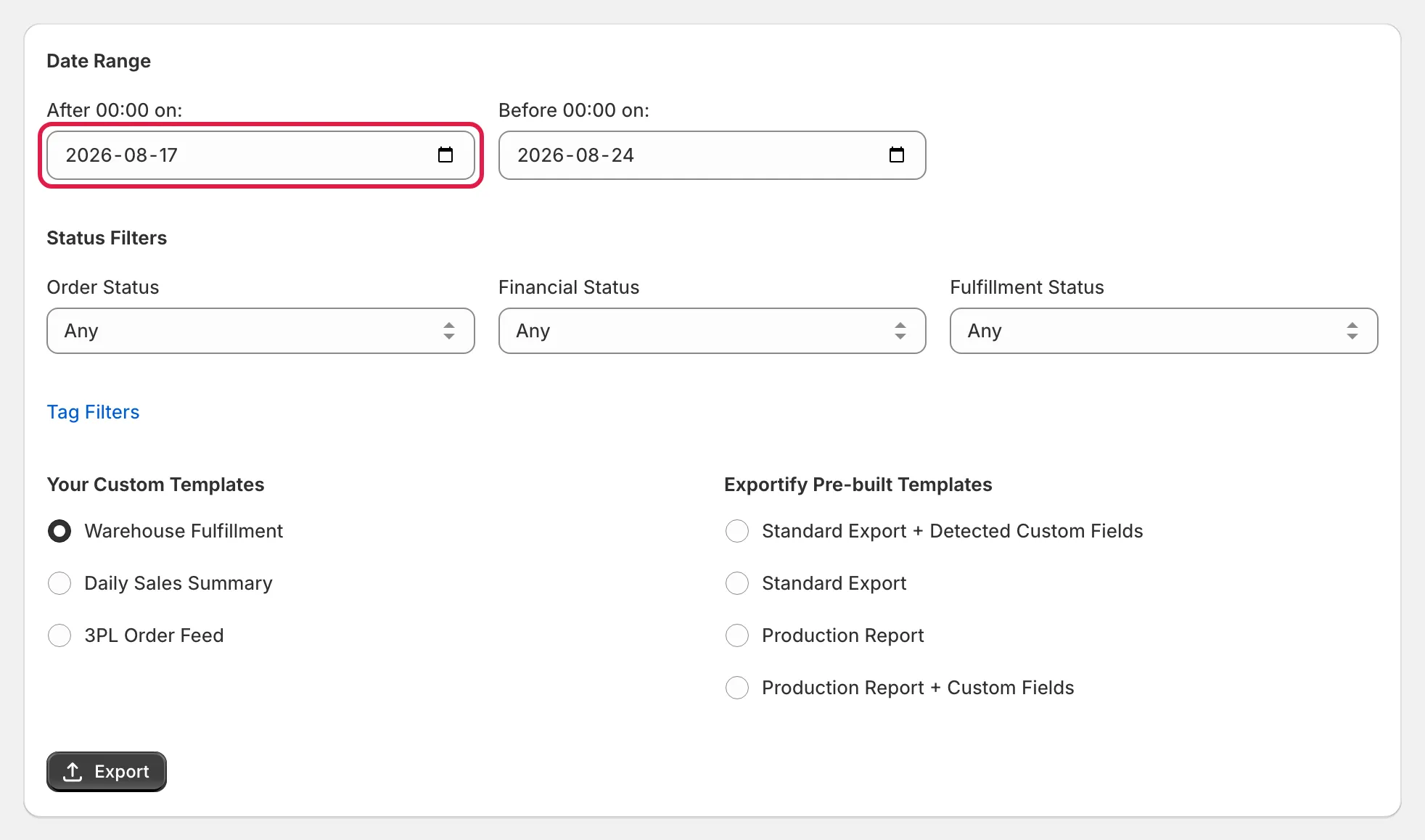
Set After 00:00 on to yesterday and Before 00:00 on to today to export yesterday’s orders; the range is whole days in your store’s time zone, and the second date is always the day after the last day you want.
Exportify’s date range works in whole days in your store’s time zone: from 00:00 on the first date up to, but not including, 00:00 on the second. Once that clicks, any single day is easy.
How to export yesterday’s orders
Section titled “How to export yesterday’s orders”Set After 00:00 on to yesterday’s date and Before 00:00 on to today’s date. That is every order placed yesterday.
How to export today’s orders
Section titled “How to export today’s orders”Set After 00:00 on to today and Before 00:00 on to tomorrow. It exports everything placed so far today; run it again later and you get the newer orders as well.
Exporting yesterday’s orders every day, automatically
Section titled “Exporting yesterday’s orders every day, automatically”If you export yesterday’s orders every morning, that is exactly what a scheduled export does: same window, same template, uploaded to your SFTP or FTP server without anyone clicking. See Scheduled exports.
Exporting part of a day
Section titled “Exporting part of a day”Manual exports are whole days only; there is no time-of-day filter in the form. Scheduled exports can run against a window that ends at a fixed cut-off time (for example the 24 hours up to 11:00) if a partner needs that. Ask support.