

Zapiet - Pickup + Delivery
Exportify includes Zapiet - Pickup + Delivery details (checkout method, location, pickup or delivery date and time) as fields in any template, and Zapiet’s Orders tab can send selected orders straight to Exportify.
If you offer store pickup and local delivery with Zapiet - Pickup + Delivery, Exportify can include the pickup and delivery details on each order and can be started from inside Zapiet.
Zapiet pickup and delivery fields in Exportify exports
Section titled “Zapiet pickup and delivery fields in Exportify exports”Every Exportify template can include Zapiet’s order details. In the template builder, the Zapiet Store Pickup + Delivery category under Available Fields lists them: checkout method (pickup, delivery or shipping), pickup location, pickup or delivery date and time, delivery window, and the rest. Add the ones you need like any other field. See Create a custom template.
How to turn on the Exportify integration in Zapiet
Section titled “How to turn on the Exportify integration in Zapiet”-
Open Zapiet’s settings. In Zapiet - Pickup + Delivery, go to Settings, then under Integrations choose External services.
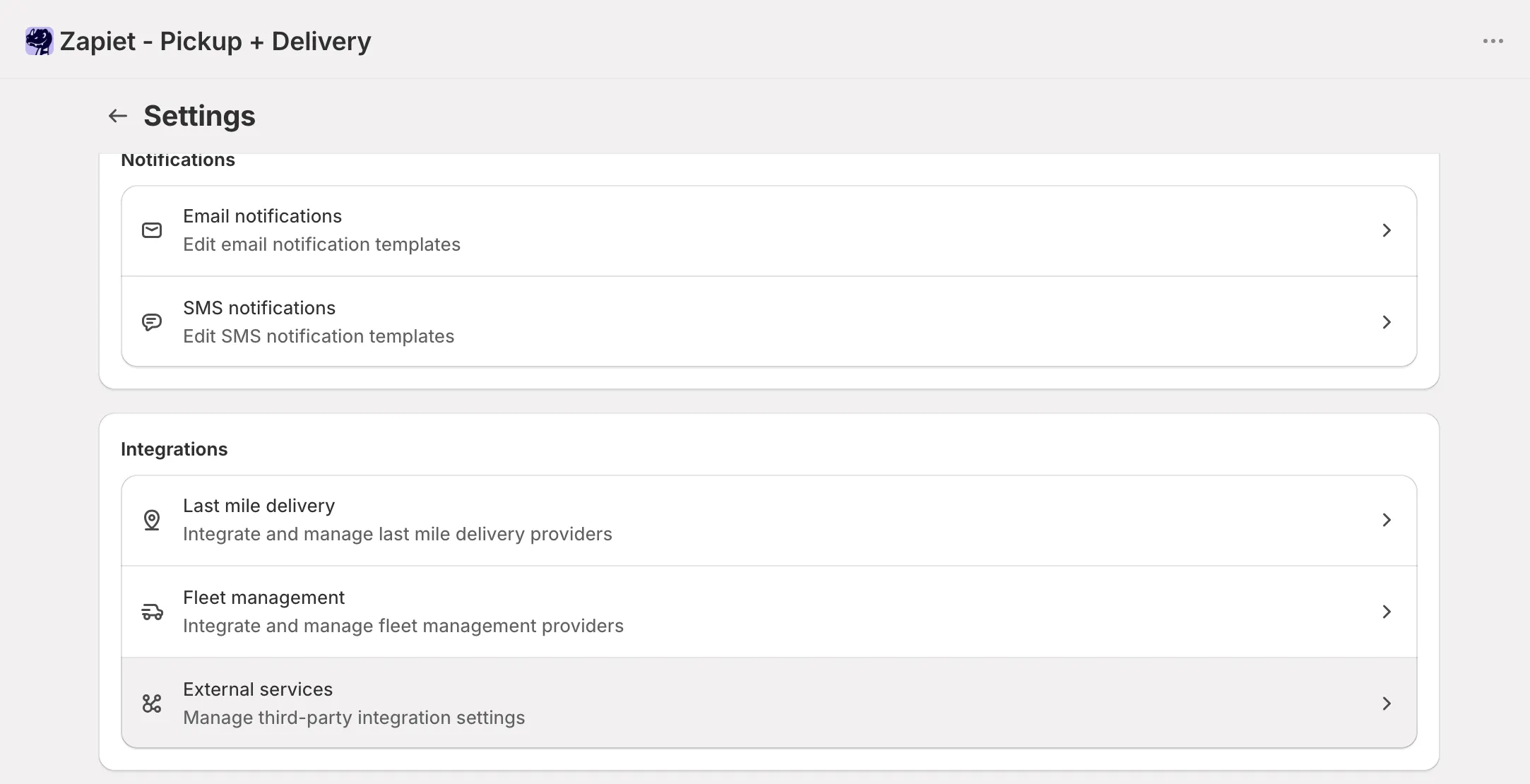
Zapiet settings: the Integrations section with External services -
Activate Exportify. Under Order exporting, click Activate Exportify. Exportify must already be installed on your store.
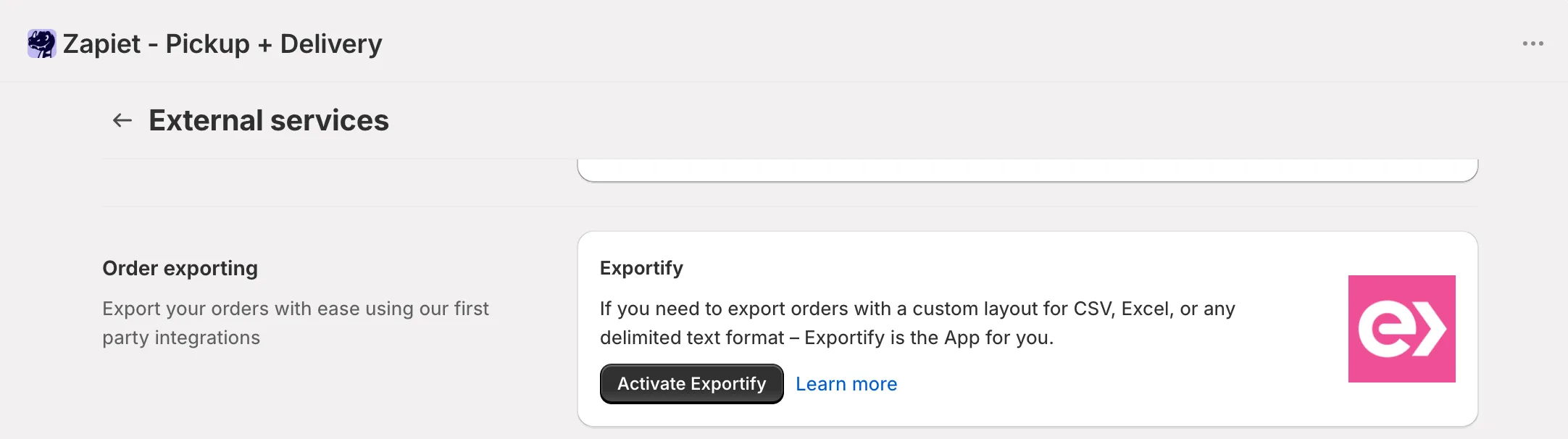
Zapiet External services: the Order exporting card with the Activate Exportify button
How to export orders from Zapiet’s Orders tab
Section titled “How to export orders from Zapiet’s Orders tab”-
Filter and select orders on Zapiet’s Orders tab. Zapiet can filter by date, location, checkout method and status.
-
Send them to Exportify. Choose Exportify from the Apps action. Exportify opens with those orders ready to export.
-
Pick a template and click Export. The file appears under Recent exports as usual.