

Export orders with metafields
Exportify exports order, product and variant metafields as columns, and you add them yourself in the template builder under Detected Order Metafields, Detected Product Metafields and Detected Variant Metafields. Exportify detects your metafields when you install it; Refresh Detected Custom Fields on the Settings page picks up any added since. Included with the Standard and Advanced plans.
Metafields are the extra fields you or your apps store on Shopify objects. Exportify exports them as columns, one column per metafield. You add order, product and variant metafields yourself in the template builder.
What can be exported
Section titled “What can be exported”- Order metafields: a value stored on the order itself, for example a delivery date, a gift message, or a reference number written by an app.
- Product metafields: a value stored on the product of each line item, for example a country of origin, an HS code, a material, or a supplier reference. On a one row per line item layout the column shows the value for that line’s product.
- Variant metafields: a value stored on the variant of each line item, for example a bin location or a case pack size that differs by size or colour. The column shows the value for that line’s variant.
Customer metafields are not exported today. If you need one, tell support which and why; it helps us prioritise.
Add metafields to a template
Section titled “Add metafields to a template”- Open the template you want to change, or create a new one.
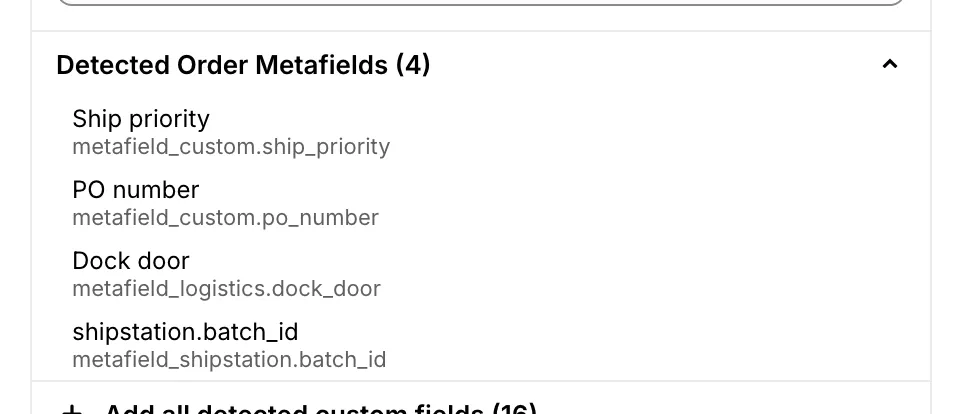
- In Available Fields, open Detected Order Metafields, Detected Product Metafields or Detected Variant Metafields, and click the metafield you want. It joins your Selected Columns like any other field, and you can rename the header and drag it into position.
Exportify scans your store for metafields when you install it. If you have added a metafield since, go to Settings and click Refresh Detected Custom Fields to pick it up. The Settings page lists what was found, under Detected Custom Fields, alongside the note attributes and line item properties from the same scan.
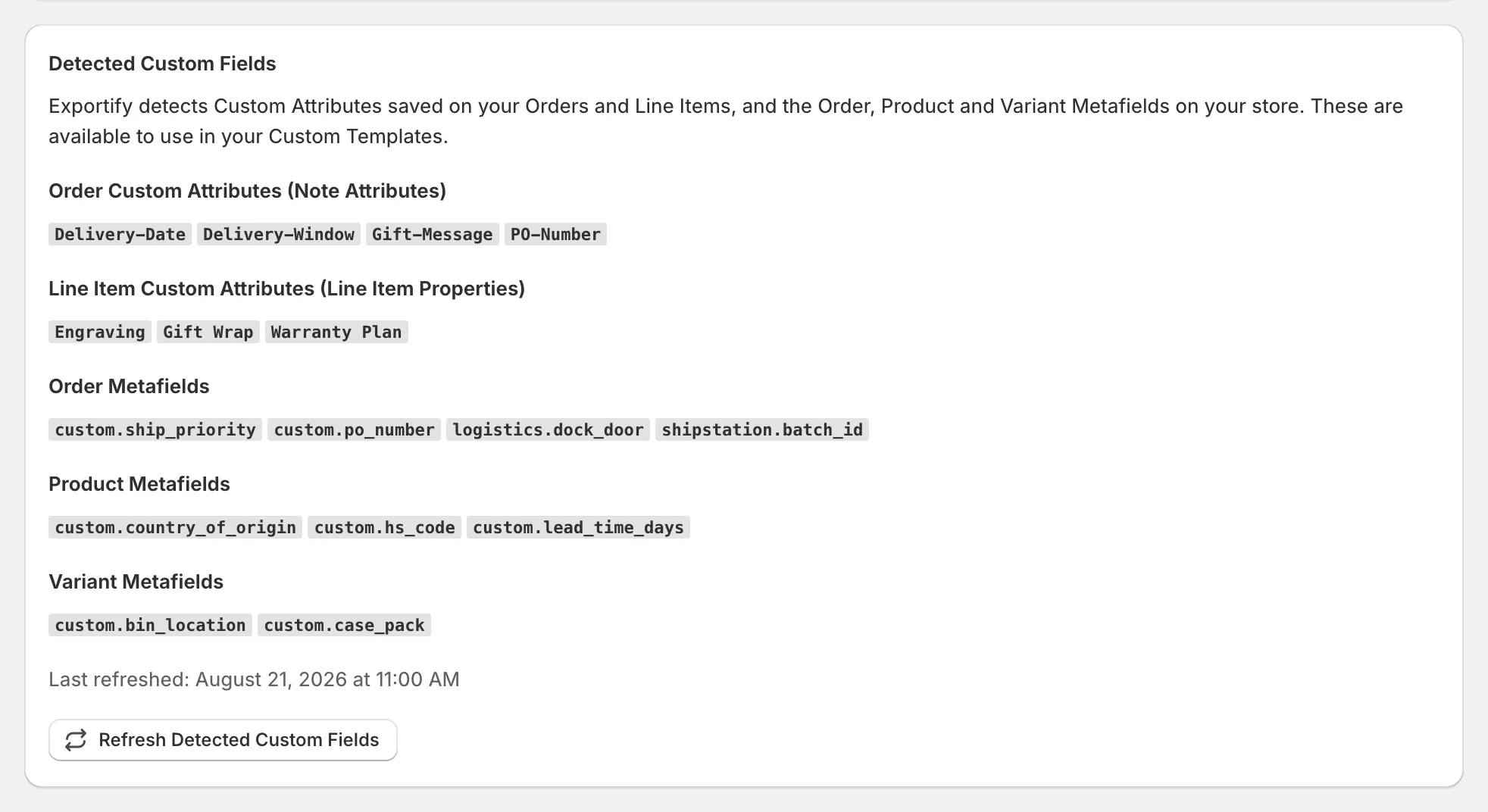
Detection finds two kinds of metafield: those with a definition in Shopify (Settings then Custom data), and any others already present on your 250 most recent orders, on your 250 most recently updated products, or on the variants of those products. A metafield that has no definition and is on none of those will not appear. If one you need is missing, contact support and we will add it for you.
Good to know
Section titled “Good to know”- The value is exported as stored; a date or a list appears in the same form Shopify holds it.
- Metafields written by an app after the order was created are picked up on the next export.
- Adding a new metafield to your store does not add it to your templates. Run Refresh Detected Custom Fields to pick it up, then add the column.
- In an XML export, product and variant metafields sit inside each line item, alongside line item properties.
- Line item properties and note attributes are different from metafields and are detected automatically; see Export line item properties and custom attributes.